
If you open fifty PDFs at a time, any reader will do. If you open ten thousand, there’s LHT Reader.
Built for the power user. Free for everyone. Thousands of files in 33 formats, whole folders and web pages in one list, with OCR, page numbers, redaction and export to Word, Excel and PowerPoint as you go.
No account. No upload. Your documents never leave your computer.
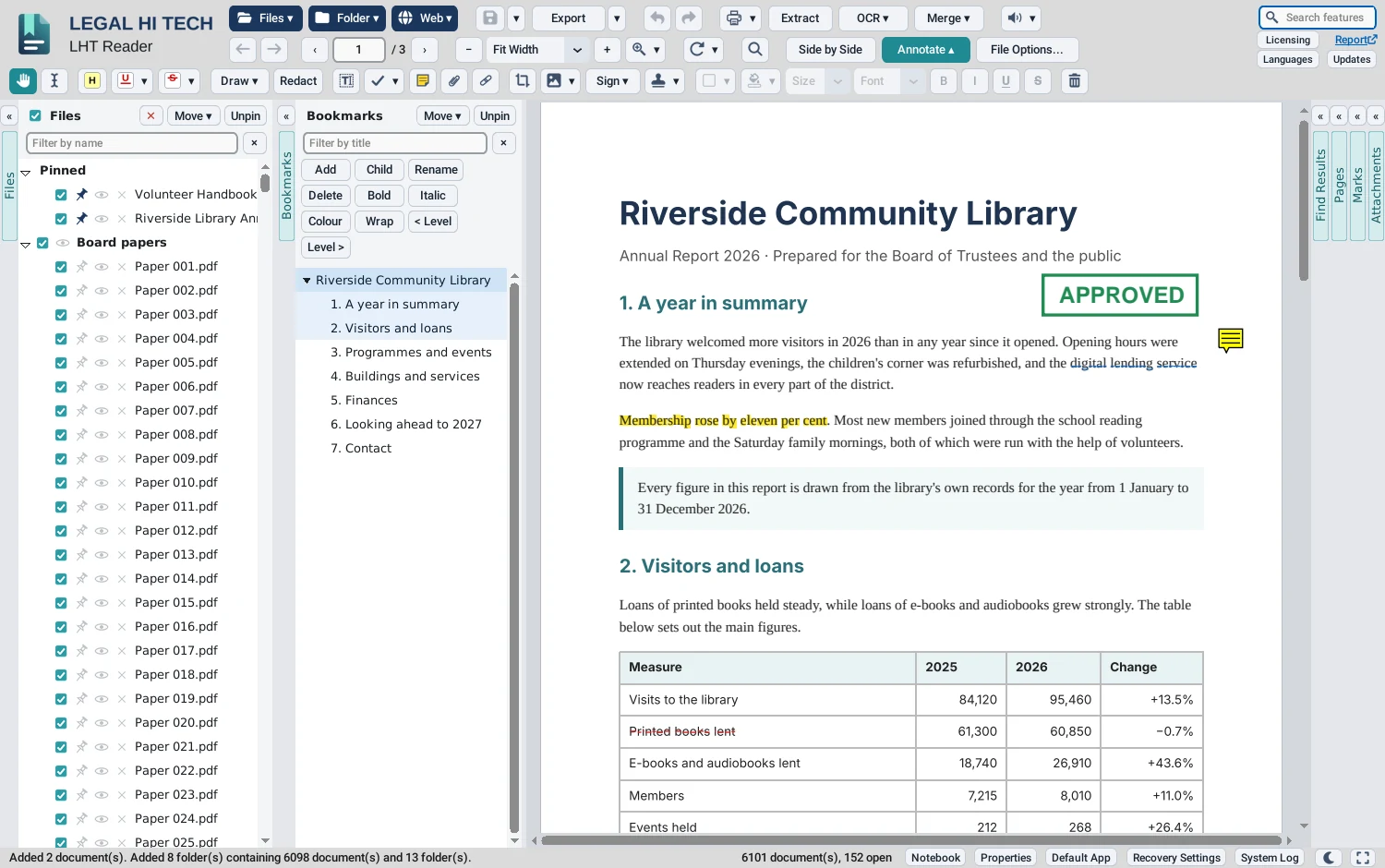
Built for the power user
LHT Reader is for the person who has to open thousands of files at once, work on them as they go, and write them out in the format someone else needs.
Thousands of files, one list
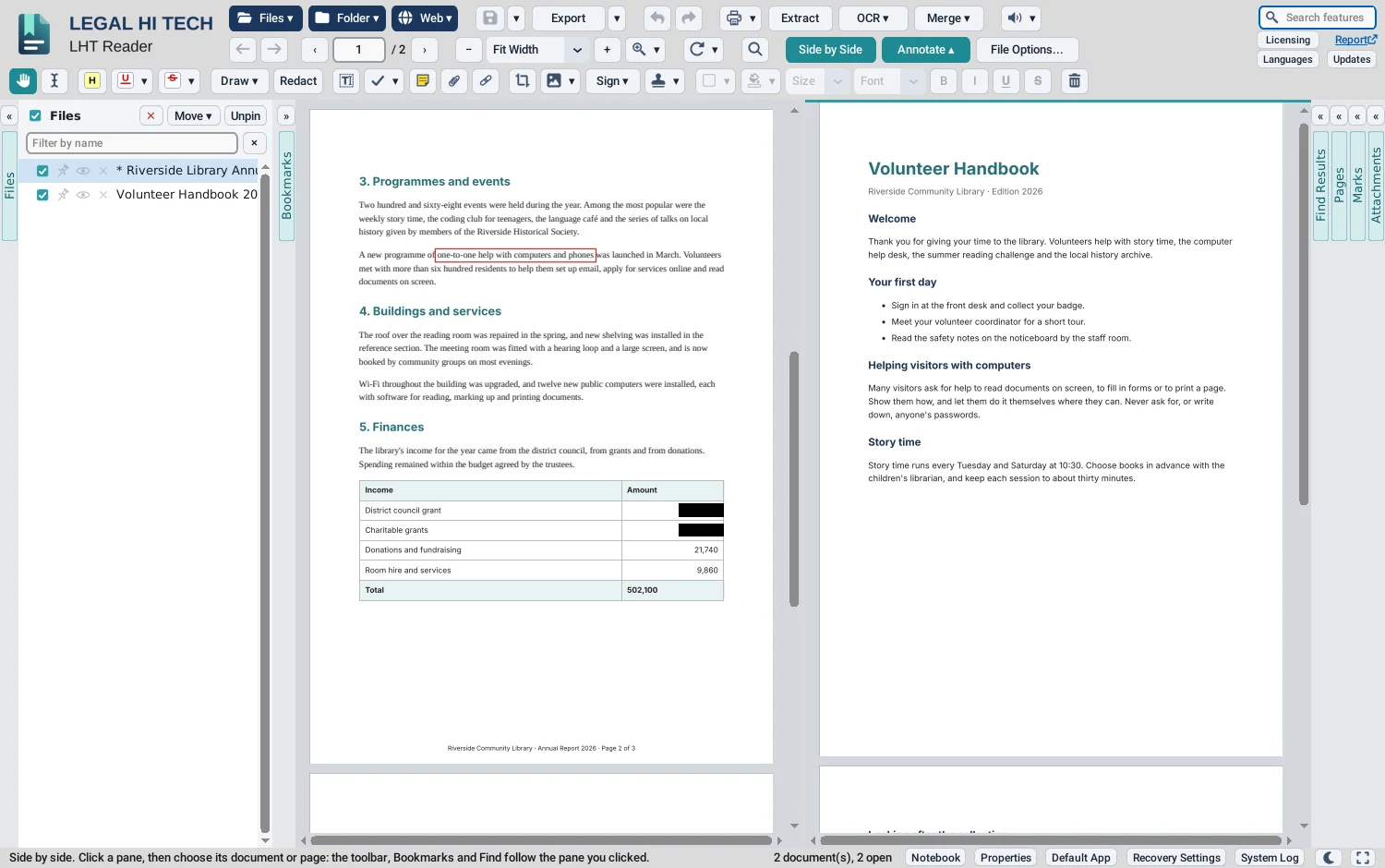
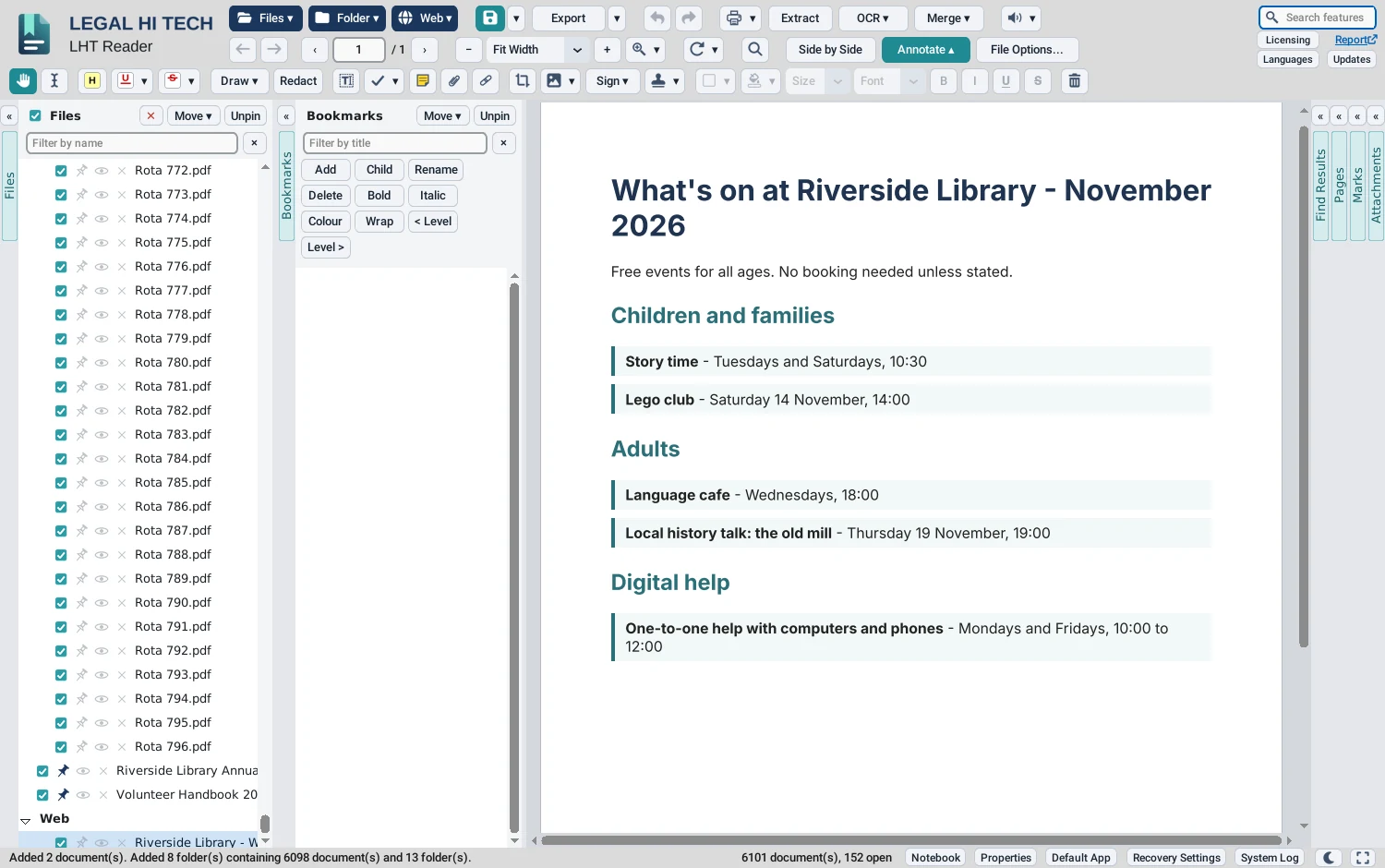
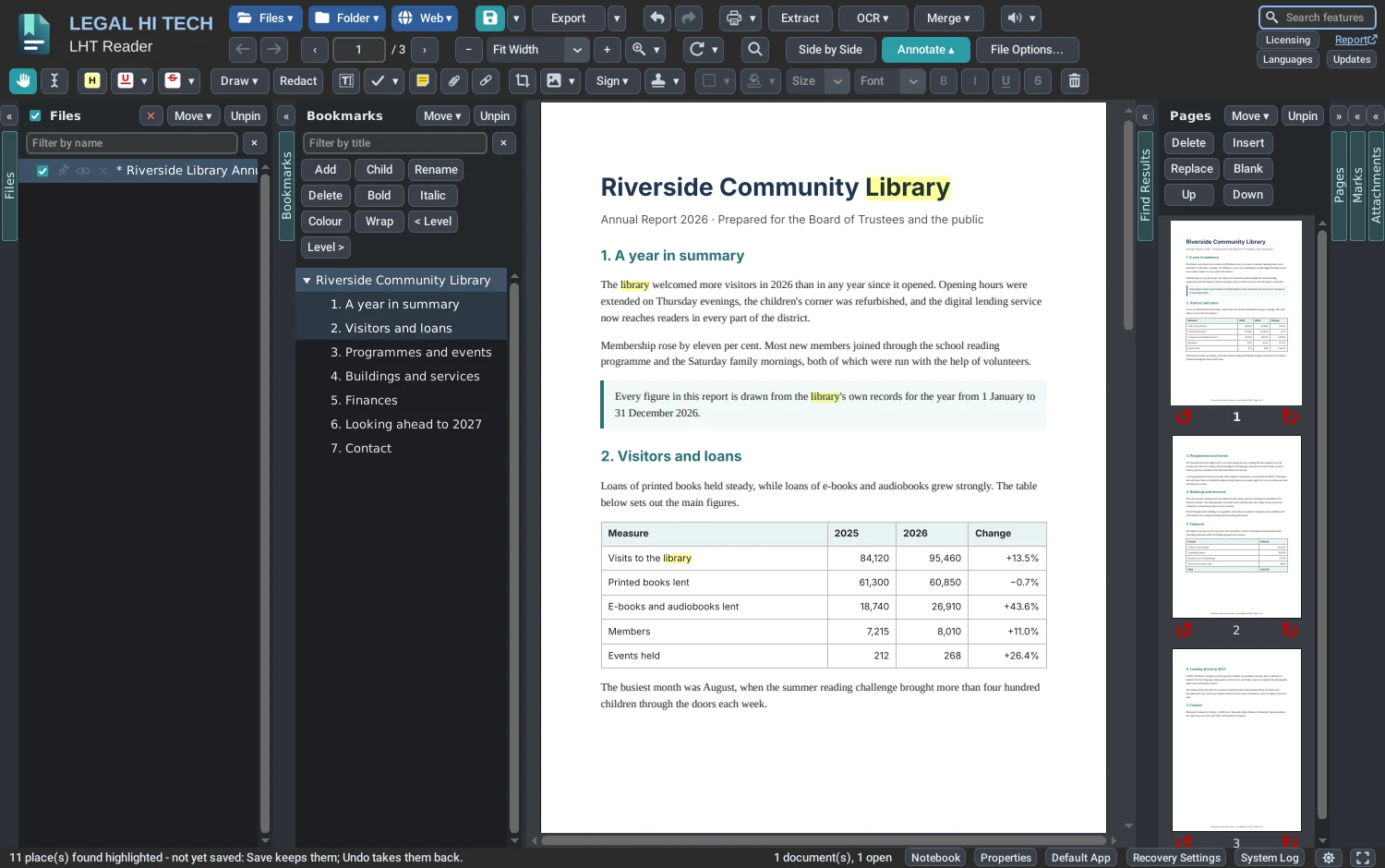
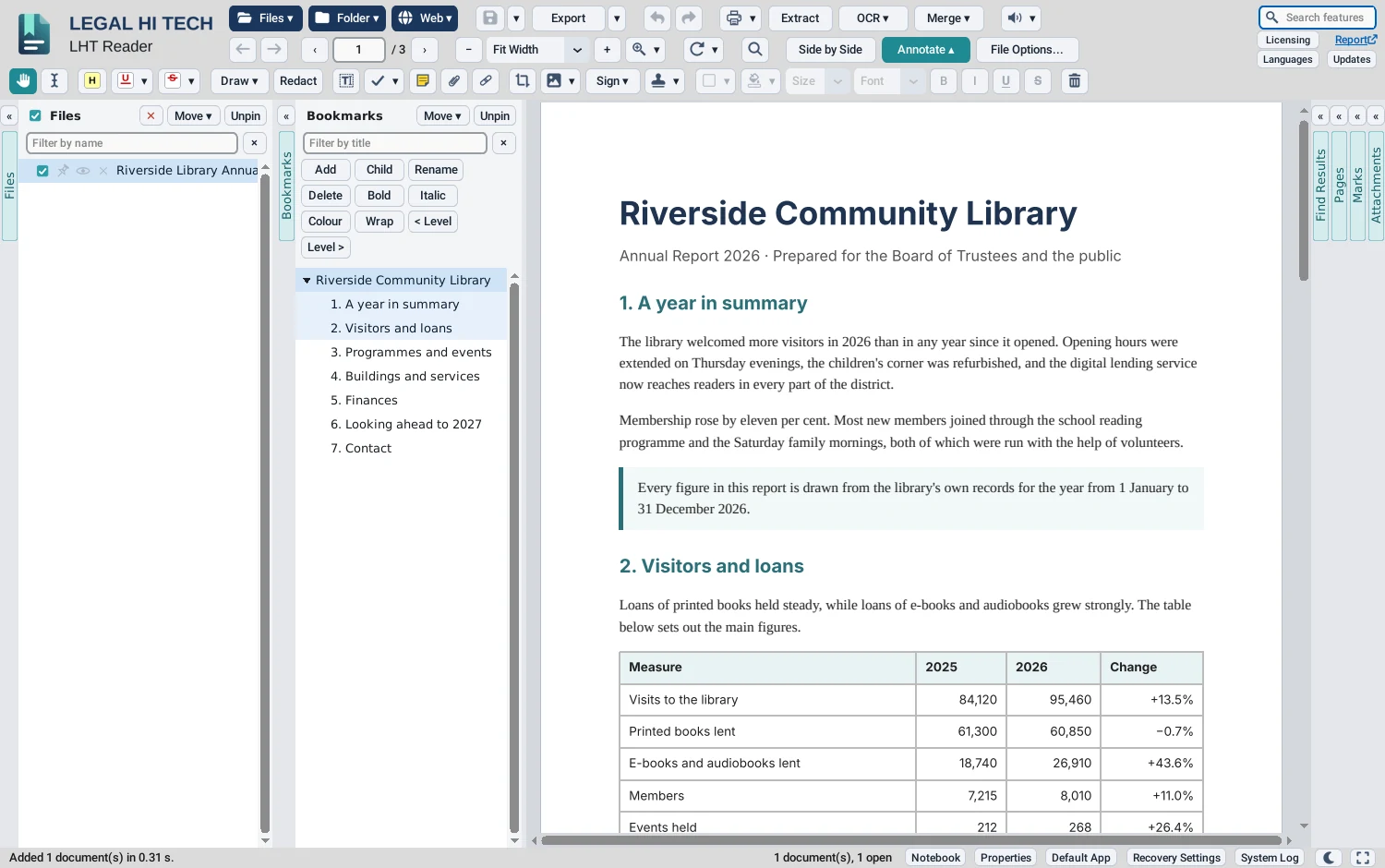
Drag in ten thousand files, or whole folders with their subfolders, and bring in web pages by their address. They are listed in the Files column, down the left of the window: click one, and it is on screen. Pin the ones you need to the top, filter by name, and tick a set to act on together.
33 formats in
PDF, the Word family, Excel and PowerPoint, pictures including iPhone HEIC photos, emails (.eml and .msg), text, Markdown, saved web pages and SVG, each opened as a PDF.
8 formats out
PDF, Word (on Windows, made by Microsoft Word itself), Excel (the tables read from the pages), PowerPoint (a slide a page), text, PNG, JPEG and TIFF. Export one document, or every one you have ticked.
On the fly
OCR scanned pages, add or renumber page numbers and Bates numbers, compress, split into volumes, watermark, protect with a password, merge with bookmarks, or build a Word index.
Drag it anywhere
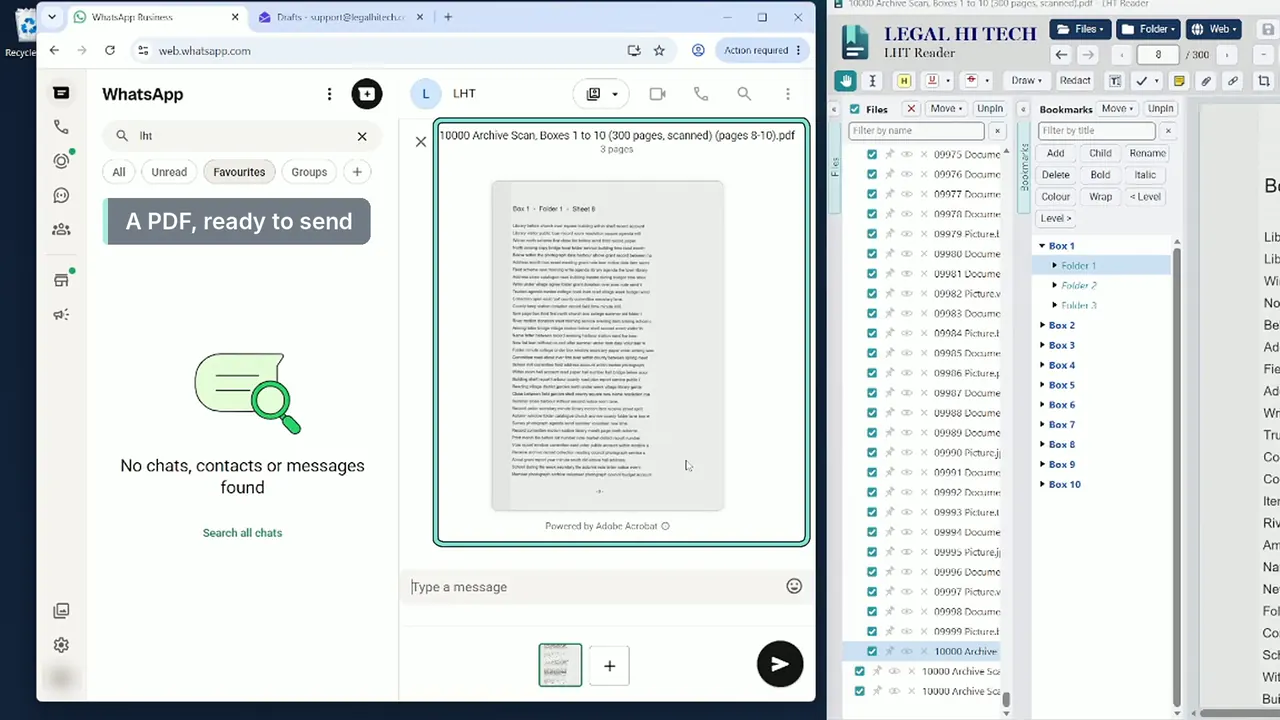
Drag pages, or a whole bookmarked section, into another document to put them in there. On Windows, drag them out of the window as a PDF: onto the desktop, into an email or into a WhatsApp chat.
Compare two versions
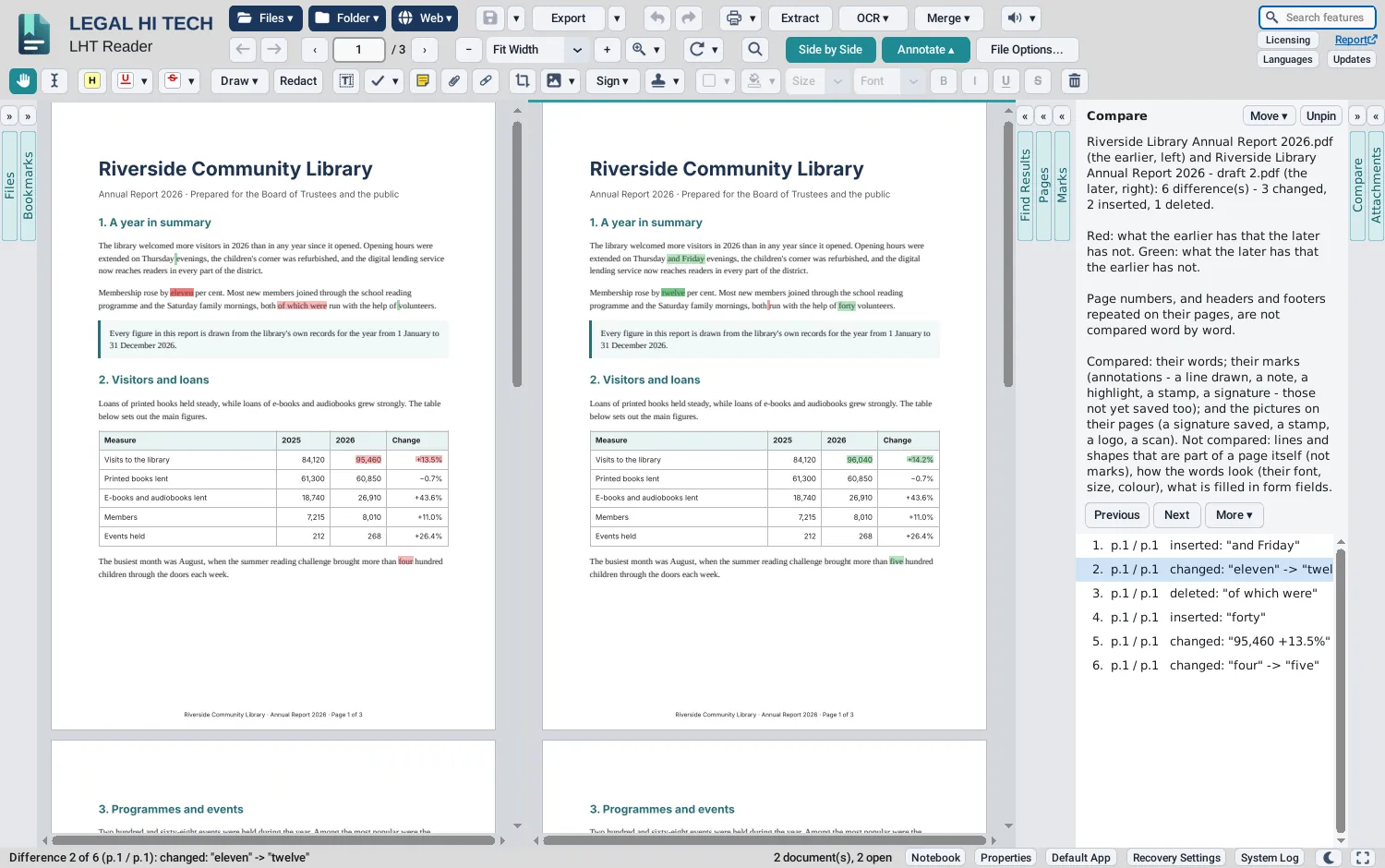
Choose two versions of a document and see what changed: words, marks and pictures, marked in both, side by side, and listed one by one.
Redaction that is real
Mark words or areas. When the document is saved, each redacted page is replaced with a picture, checked for any text left, and made searchable again by OCR.
Sign, both ways
Place your own signature, kept sealed on your computer, or sign and certify with a digital ID. Signatures are made and checked offline.
Mark up anything
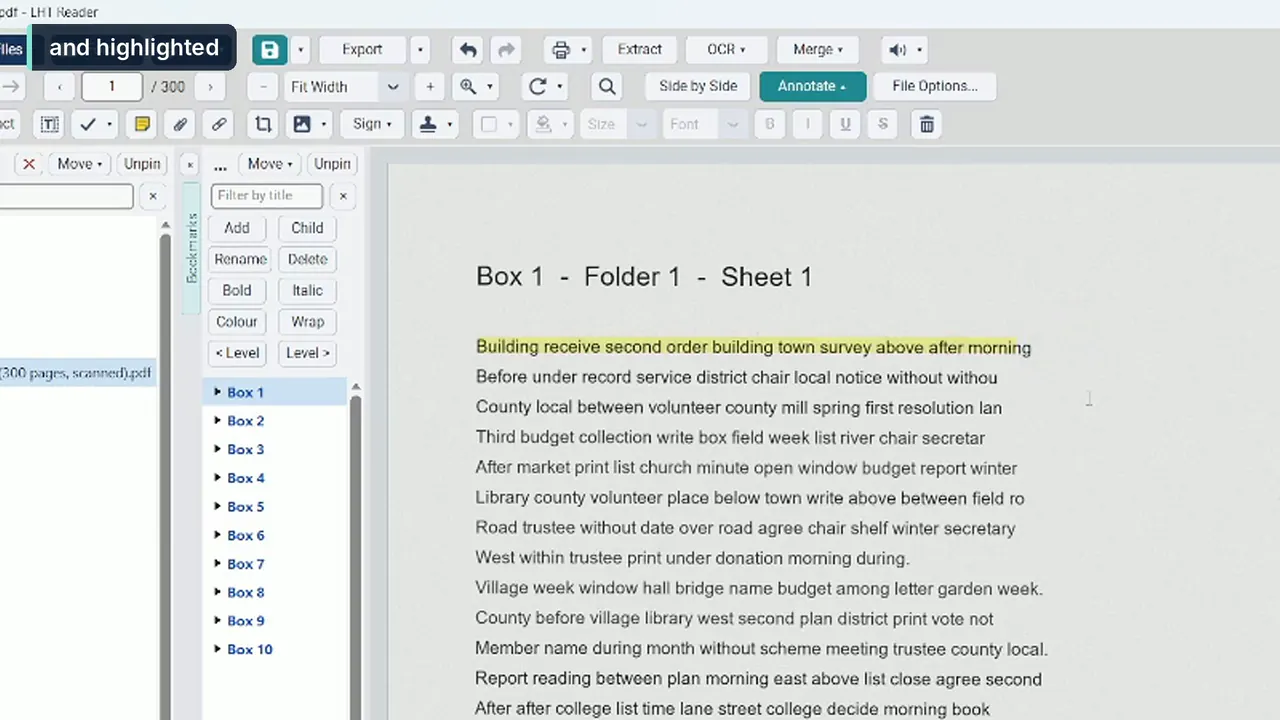
Highlights, proof marks, notes, typed text, stamps, shapes, clouds, callouts and measurements, all listed in the Marks column, with a summary and export.
Your list, your way
Rename a document’s file from the list, even while it is open in LHT Reader. Make a name bold, italic or coloured to pick it out, in the list alone: the file’s own name is not touched.
Hide one document in a meeting
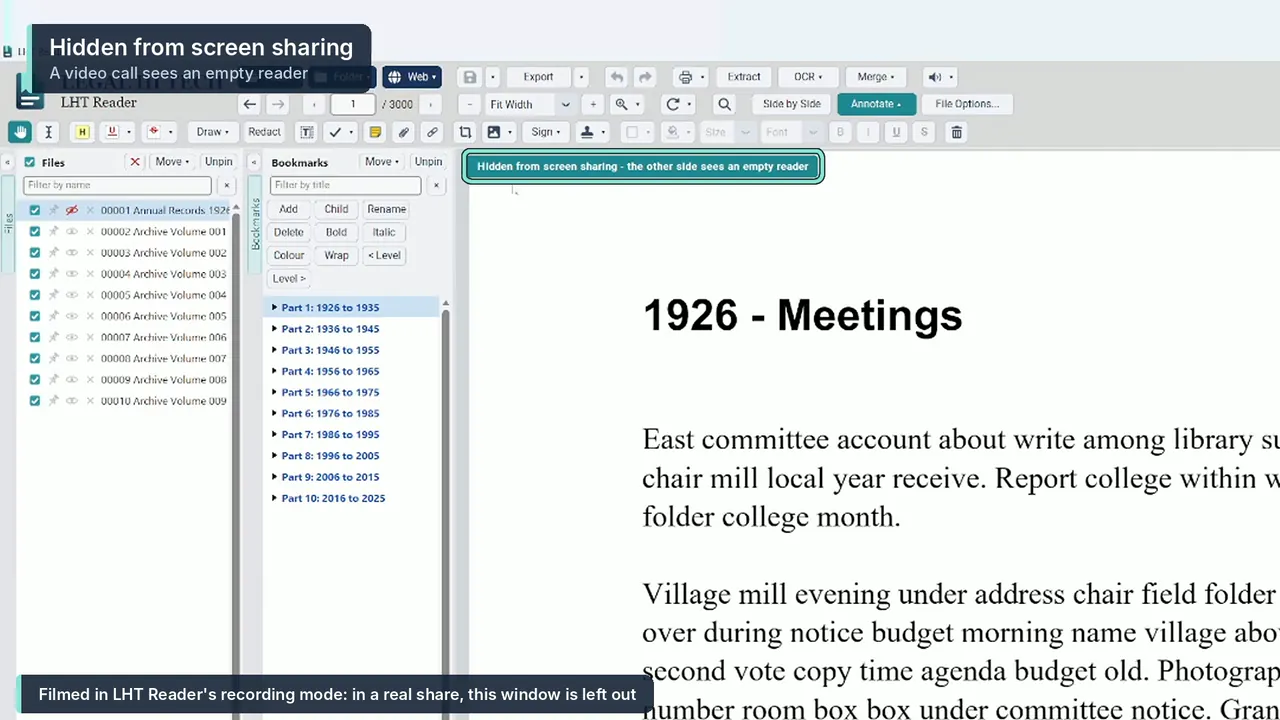
On Windows, hide a single document from screen sharing while the rest of LHT Reader stays shared.
Private by design
No account, no cloud, and no record of what you do. It works offline; the few connections it makes are listed on our security page.
One window. Every document.
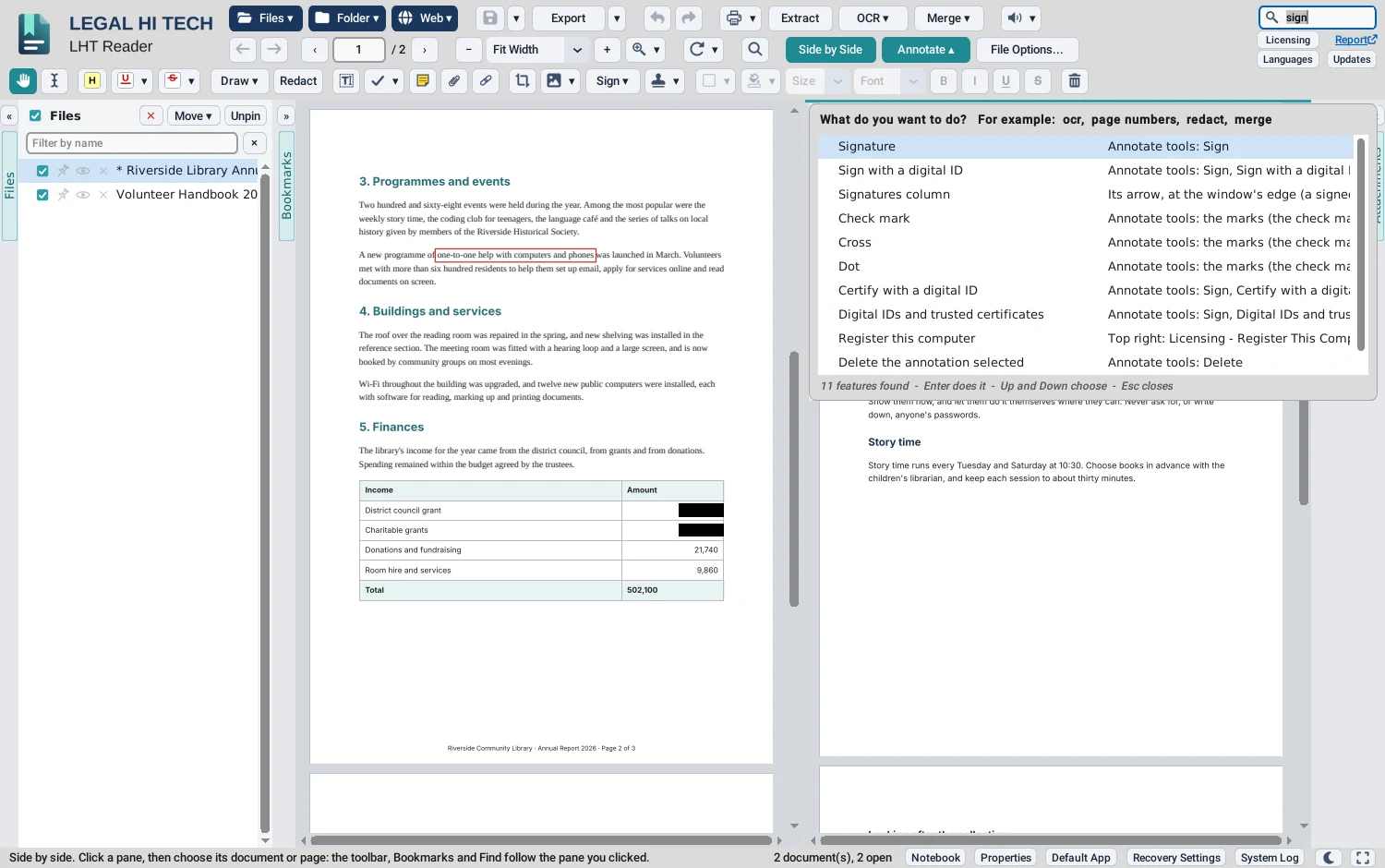
Real screens of LHT Reader at work on sample documents. Click a picture to enlarge it.
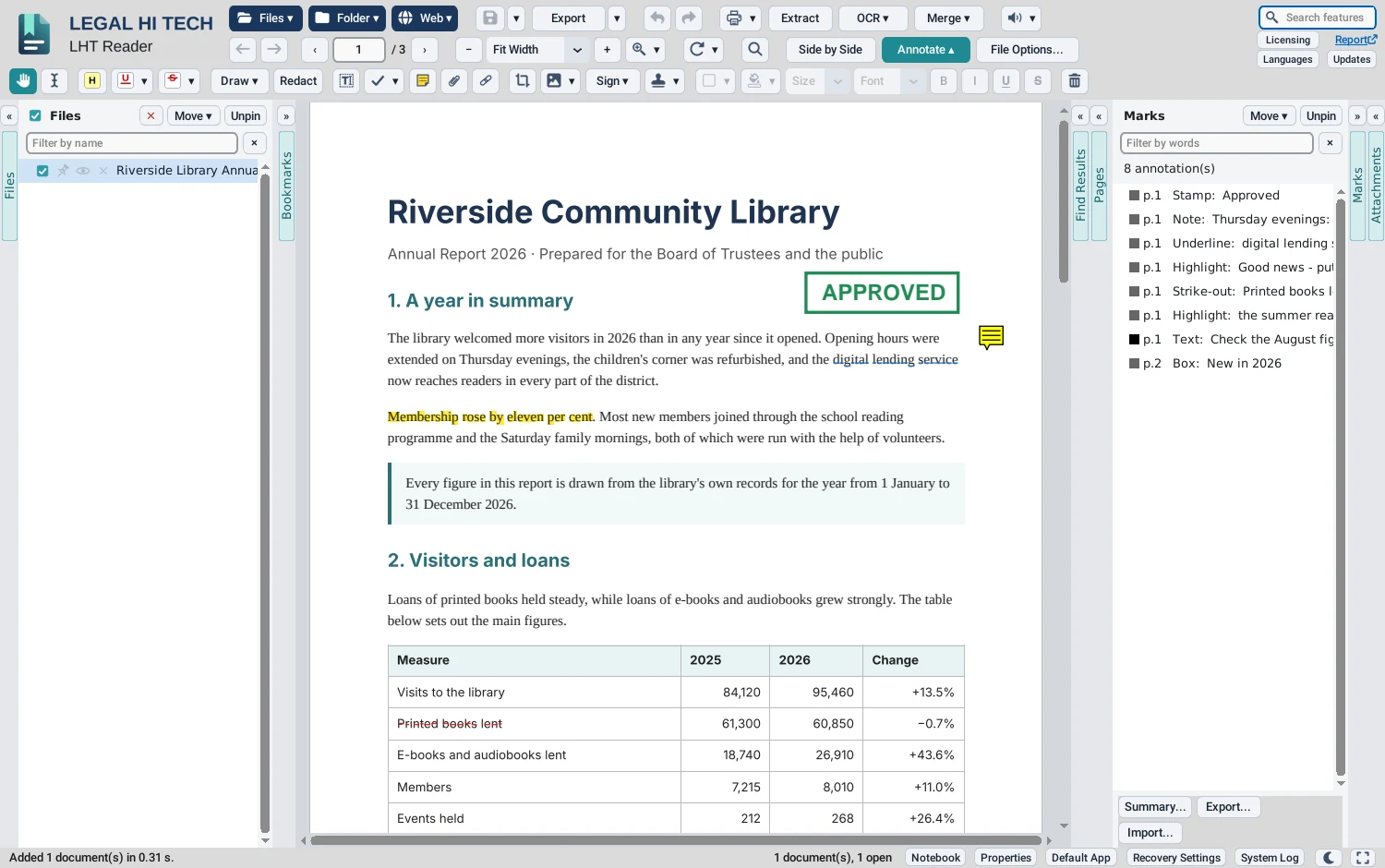
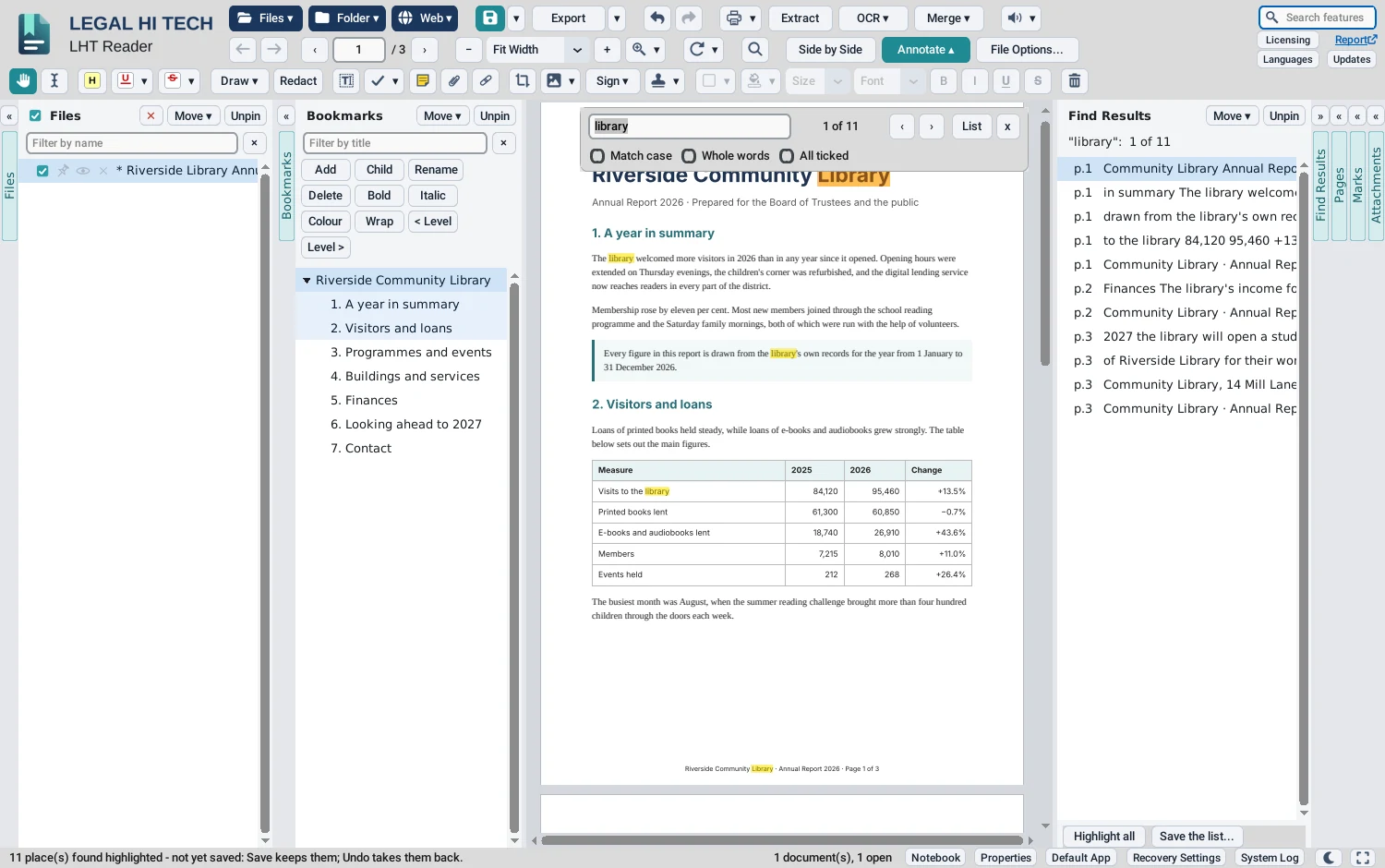
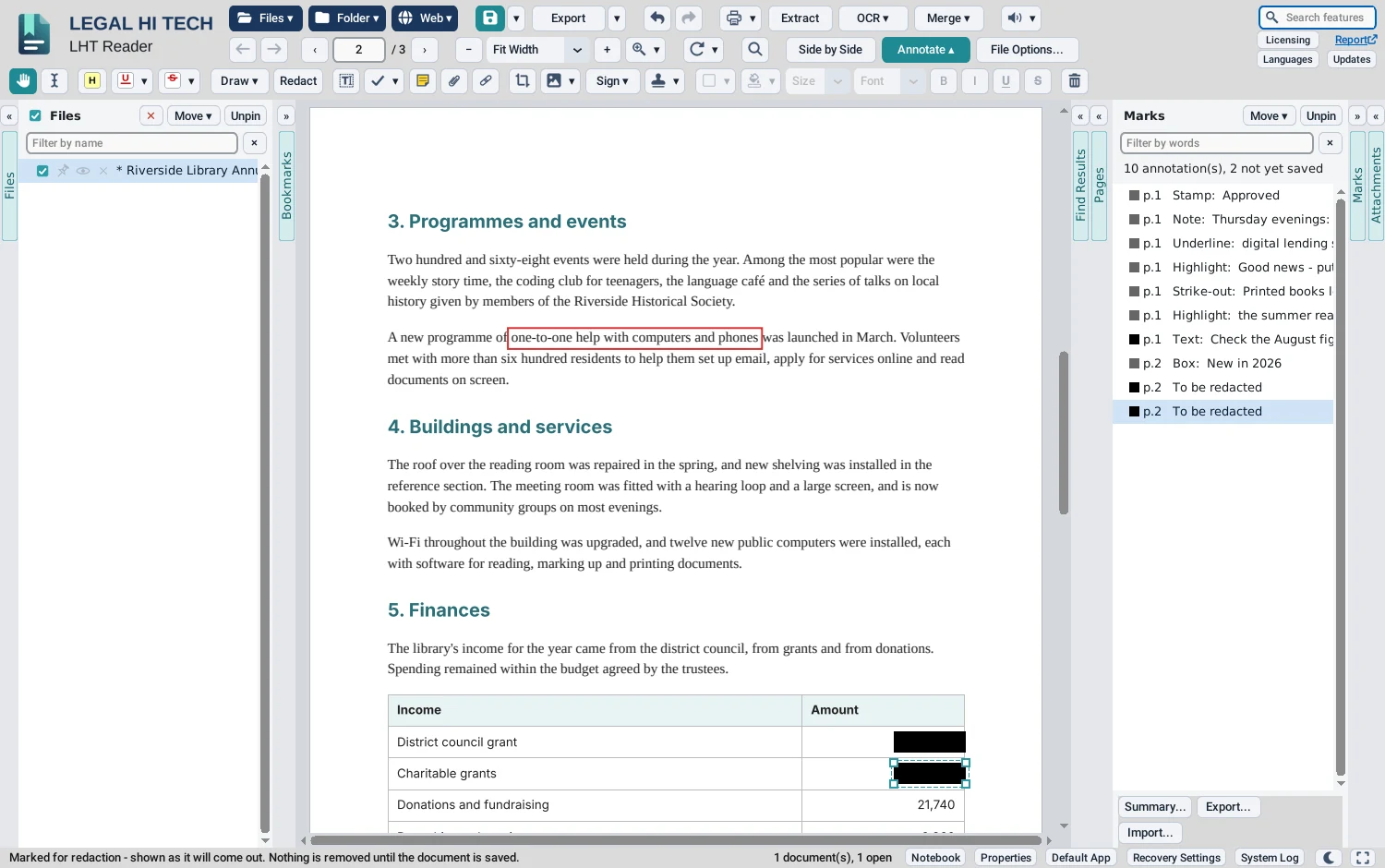
Open whatever you are sent
Each is opened as a PDF, so it can be read, searched, marked up and written out like any other. A macro is never run.
PDF and Word
PDF · DOCX · DOC · RTF · DOCM · DOTX · DOT · ODT
Word documents are made into PDFs by Microsoft Word or LibreOffice, whichever is installed.Pictures
PNG · JPEG · BMP · TIFF · WebP · HEIC
iPhone HEIC photos are read by the computer's own decoder: on Windows, Microsoft's HEIF and HEVC extensions.Spreadsheets and slides
XLSX · XLS · XLSM · XLSB · ODS · CSV · PPTX · PPT · PPTM · PPSX · PPS · ODP
By Excel or PowerPoint on Windows, otherwise by LibreOffice.Email, text and the web
EML · MSG · TXT · Markdown · HTML · MHTML · SVG · and live web pages by their address
Printed to a PDF by Microsoft Edge, Google Chrome or Brave, whichever is installed.Don’t take our word for it. Time it.
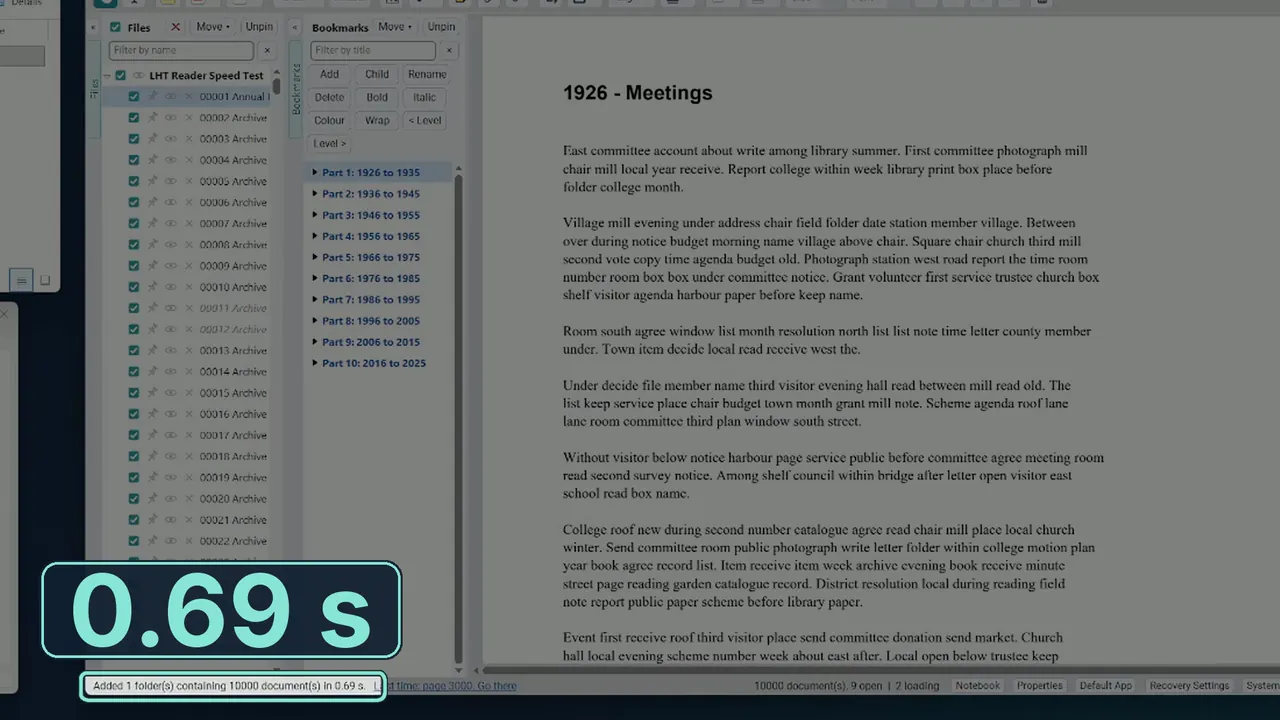
We dragged the folder of our speed test pack, 10,000 files and 896 MB in all, into LHT Reader on a Windows 11 PC with an Intel Core i7-13700, 16 GB of memory and an NVMe SSD. The Files column filled and the first page was on screen in 0.69 seconds, as the video below shows. The first document, 3,000 pages with a text layer, scrolled from end to end without visible delay; so did the last, a 300-page, 160 MB scan.
- Download our speed test pack: 10,000 files, a 632 MB download, 896 MB unzipped.
- Unzip it with 7-Zip or a similar tool. Windows' own unzipping is slow with 10,000 files, and would only time Windows.
- Drag the folder into LHT Reader, and read the time in its status bar.
- Scroll the first and the last document as fast as you like.
The folder of 10,000 files dragged in, first page on screen. Measured by Legal Hi Tech on a Windows 11 PC: Intel Core i7-13700, 16 GB of memory, NVMe SSD. Your time will depend on your computer and its disk.
↓ Download the speed test pack
Every file in the pack is generated: no real person's documents are in it.
Free. With no account.
Version 1 is free for everyone today, for work and for home. When Version 2 comes, Version 1 stays free for personal use, for anyone working on their own account and for organisations of up to 10 people.